

Update ↴
The Google keyword research sheet now includes search volume data from the past 12 months, providing detailed insights into seasonal trends.
Google Keyword research sheet
Keyword research helps you to uncover the words your audience enter into Google when looking for a service or product.
Performing keyword research can be a time consuming task and for this reason I’ve build the Google spreadsheet designed to make live just a little bit easier.
The “Google keyword research sheet” is a pre-programmed spreadsheet that connects with the SEO Review Tools keyword API. This means you can work with the API without any programming knowledge.
Keyword data
- Directly related keywords
- Competition
- CPC, average Cost Per Click
- Monthly search volume
- Monthly search volume statistics for the past 12 months
How to use this sheet
- Make a copy of this spreadsheet
- Register for the API (the API comes with a 15 day free trial)
- Enter your API key
- Enter your Keyword
- Slect your country
- Hit the “Get results” button
The first time you use the sheet
Please note that I will NOThave access to your account and you will be the owner of the script running in your account. Becuse the Google authorisation screens can look pretty intimidating ;-))
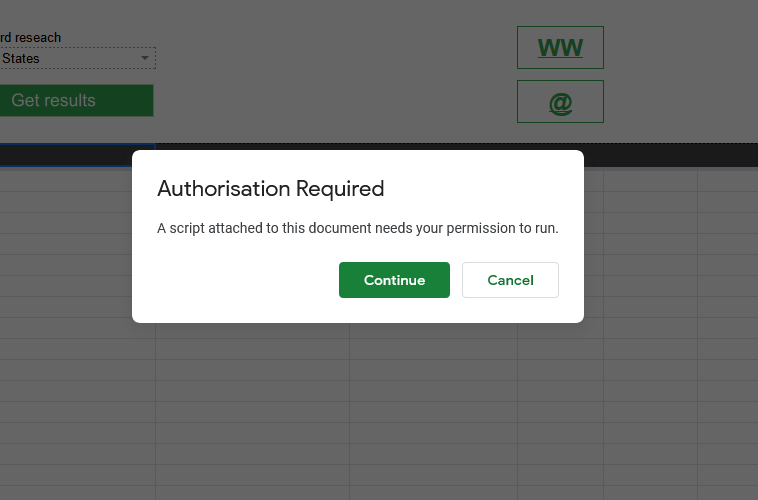
- Google will ask for authorization, click “Continue”


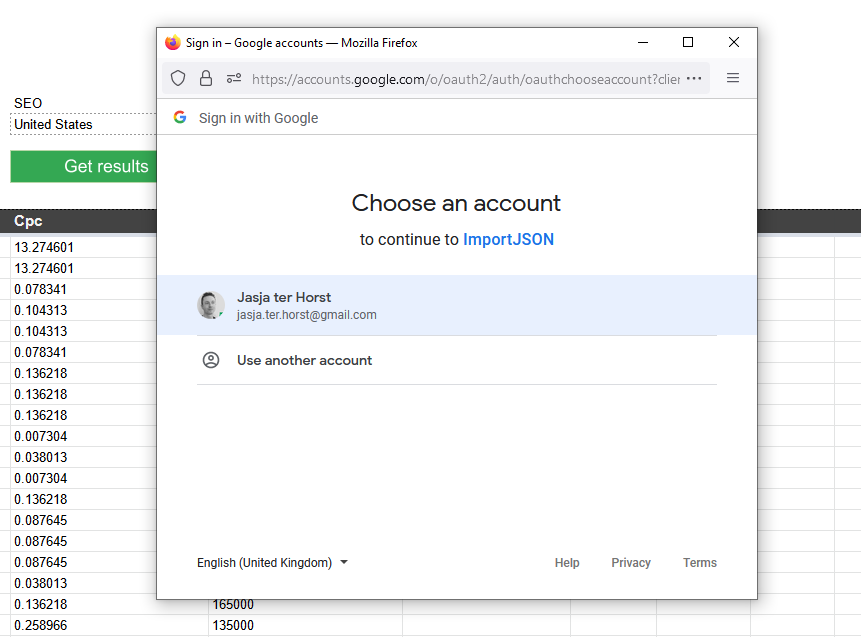
- Select the account you want to use

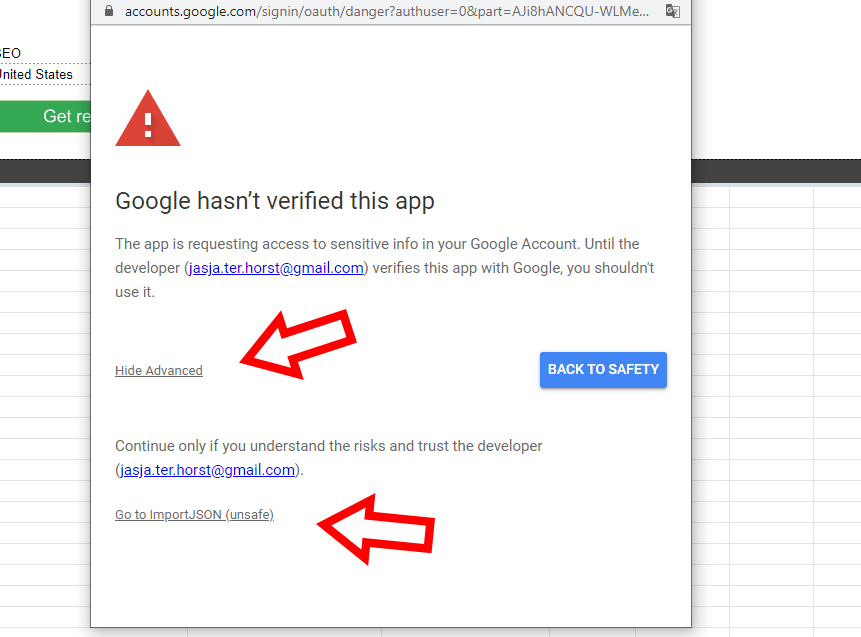
- Google will show the “Google hasn’t verified this app” message, click “advanced”

- Click “Go to ImportJSON (unsafe)”.
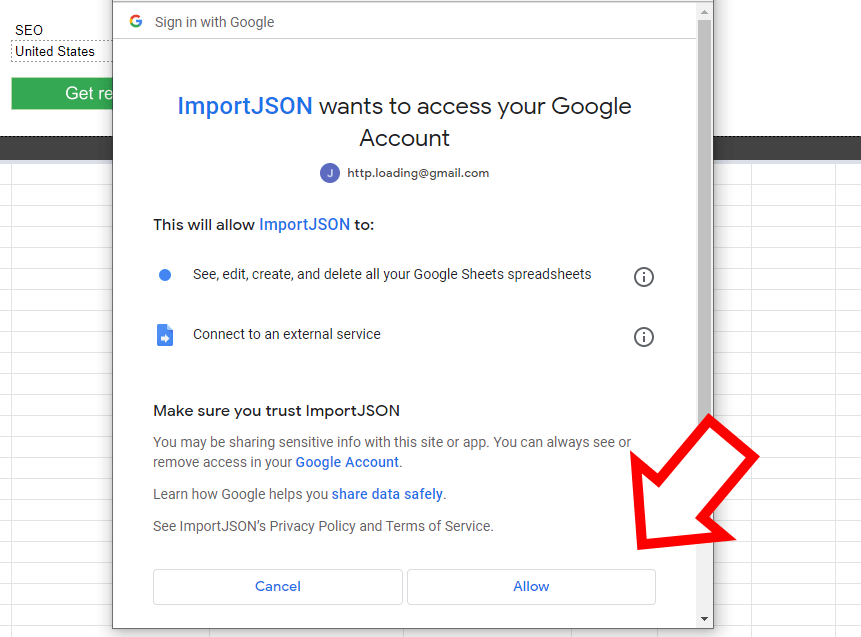
- On the “ImportJSON wants to access your Google Account”, click “Allow”


If you have any additional question or suggestions, don’t hesitate to contact me.
























 Get the new Chrome Extension!
 Chrome extension

Update