Meta Description creator
The Meta Description Generator is designed to create SEO-optimized, unique, and engaging meta descriptions that improve click-through rates (CTR) while accurately summarizing page content. Use our generator to save valuable time and increase productivity.
How does the Meta Description Generator work?
- Enter a brief summary of your page or simply paste the first couple of paragraphs.
- Optional: provide advanced instructions (Related keywords, Tone of voice, … )
- Hit the “Start creating content” button.
- And the tool will automatically generate 10 meta description examples for you to choose from.
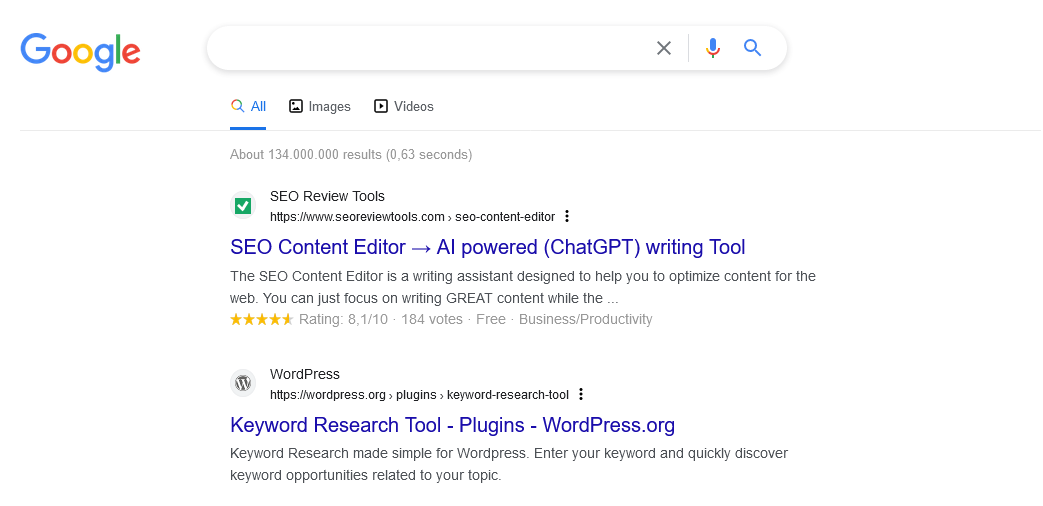
Meta Description example


The above example shows a simplified part of the search snippet. The description usually appears below the page title in the search engine results page (SERP).
Tip: Discover how to → Optimize AI content
Preview your search snippet
Try our Google SERP Preview Tool to instantly see how your content will appear in search results.

Google documentation
- How to Write Meta Descriptions? Learn more ⇉
- Meta Tags and Attributes that Google Supports? Learn more ⇉
- How to change a Google Search snippet? Learn more (Video) ⇉
Related FAQs
Why are meta descriptions important for SEO?
Meta descriptions can influence a user’s decision to click on your link in search results. While they don’t directly impact search rankings, well-written meta descriptions can improve click-through rates (CTR), which indirectly affects SEO performance.
How long should a meta description be?
The ideal length for a meta description is between 150 and 160 characters on desktop and for mobile ideally under 120 characters. This means you need to make sure the first part of the description contains all vital information.
What are dynamic meta descriptions?
Dynamic meta descriptions are automatically generated for different search queries based on the content of the page. This approach can help tailor the snippet to better match the user’s intent.
Can I leave meta descriptions blank?
Technically, yes, but it’s not recommended. Leaving meta descriptions blank gives search engines control over what text snippet they show, which may not always be ideal.
Can I use the same meta description on multiple pages?
It’s best to avoid using duplicate meta descriptions. Each page should have a unique meta description that reflects its specific content to provide the best user experience and SEO performance.


































 Get the new Chrome Extension!
 Chrome extension