Free Google SEO scan.
Update: The Google SEO checker can now also analyze how your URL performs based on Google PageSpeed metrics.
The Google SEO Checker is powered by the official Google Lighthouse platform, designed to improve the quality of a web page. Enter your URL and get access to how Google sees your website. Based on 14 key metrics Google will give you basic feedback and insights on how well your website is optimized for search.

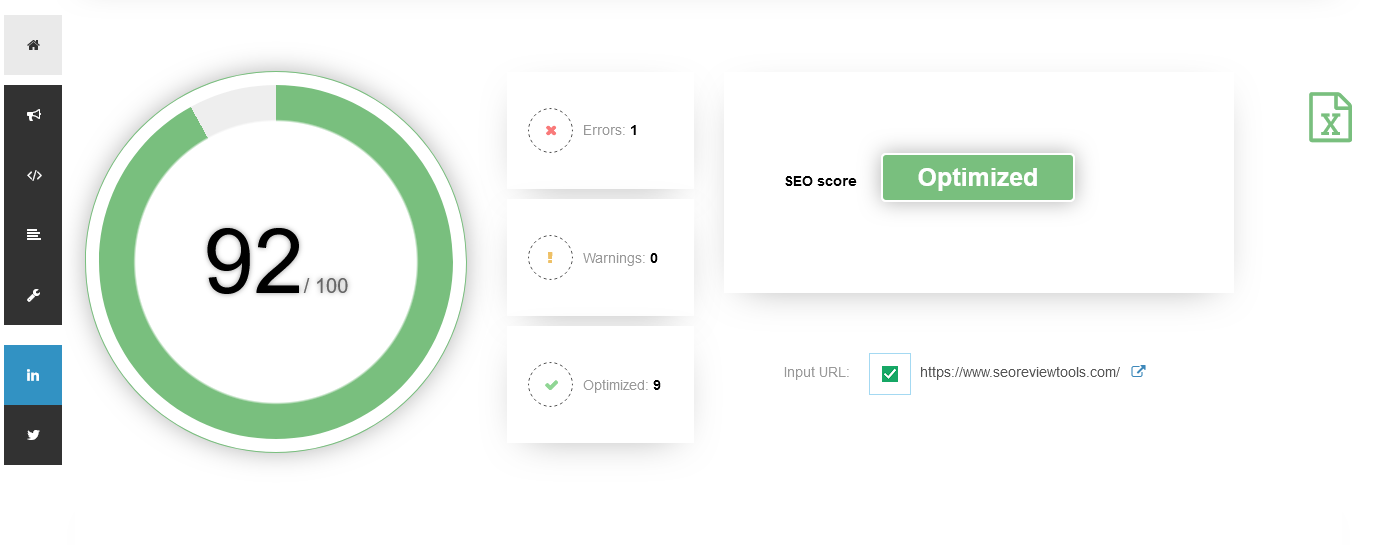
How to perform a Google SEO analysis?
- Enter the URL you want to review.
- Hit the “Perform SEO scan” button.
- Get the results from the Google SEO analysis, your website will automatically be scored on a 0 – 100 scale.
- Optimized 100 – 90
- Needs work 90 – 50
- Not optimized 50 – 0
- Review and address the possible SEO issues returned by the Google lighthouse analysis.
Why is Google giving SEO advice?


Because Search is Google’s top product, Google has been helping webmasters, website owners and developers with different types of resources to improve performance and indexability of their sites. These resources include the Google Webmaster Blog, Search console, the Google SEO Starter Guide, Google Webmasters on YouTube and multiple other tools. The latest tool from Google that’s designed to evaluate your on-page technical SEO efforts is the Lighthouse platform.
Additional SEO checks you probably like to perform..
The results from the Google SEO audit will help you to understand the on-page basics. To fully analyse how well a website is optimized for search, I recommend you to also have a look at these tools:
- Rank checker → https://www.seoreviewtools.com/rank-checker/
- Website SEO checker → https://www.seoreviewtools.com/seo-checker/
- Content analysis → https://www.seoreviewtools.com/seo-content-score-checker/
- Domain and Page Authority score → https://www.seoreviewtools.com/website-authority-checker/
- Backlink analysis → https://www.seoreviewtools.com/valuable-backlinks-checker/
- Competitor analysis → https://www.seoreviewtools.com/seo-competitor-research-tool/
Google SEO Report

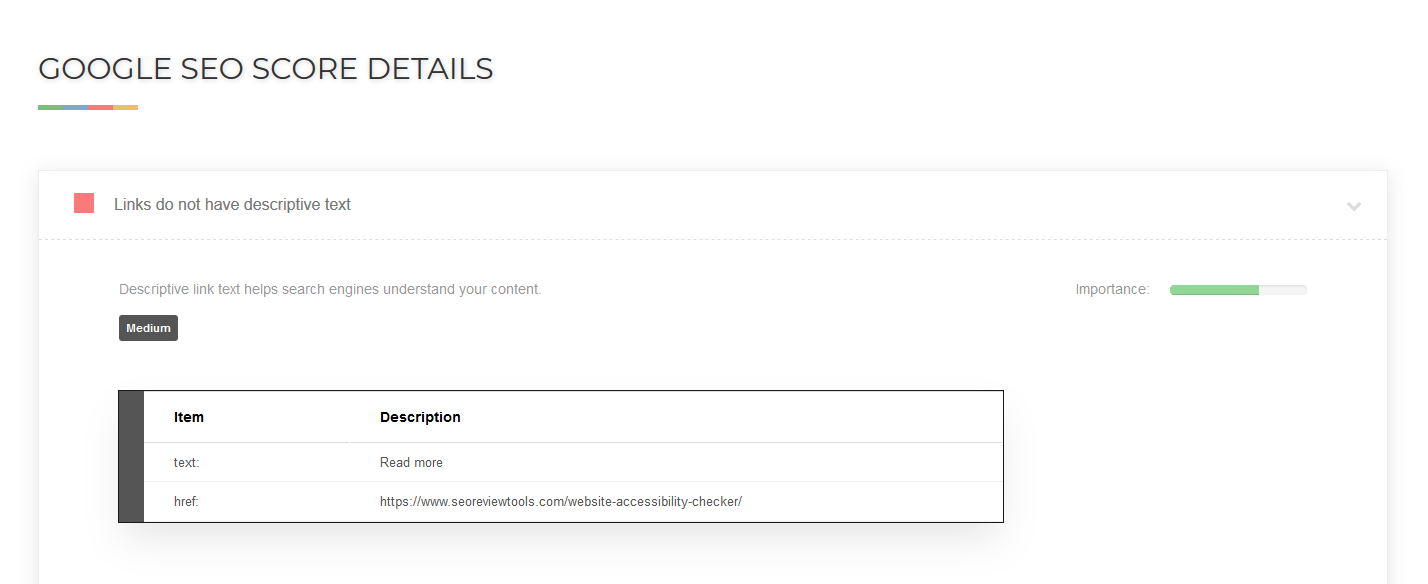
The automated SEO analysis is performed by the Google lighthouse platform and reviews your website based on 14 on-page SEO elements. It has to be said that the report is pretty basic, but it does include some helpful checks.
- Tap targets are sized appropriately
- Image elements do have [alt] attributes
- Structured data is valid
(this check actually has to be performed manually) - Document avoids plugins
- Page isn’t blocked from indexing
- Document has a meta description
- Document has a <title> element
- Document has a valid hreflang
- Page has successful HTTP status code
- Links have descriptive text
- Document has a valid rel=canonical
- robots.txt is valid
- Document uses legible font sizes
- Has a <meta name=”viewport”> tag with width or initial-scale.
Google Performance Report


The Google performance report utilizes the Google page speed API to collect both user (field) and lab data for your URL. The results are analyzed and marked, so you can easily identify issues that need your attention. Key metrics that are included in the performance report are: First Contentful Paint, Largest Contentful Paint, Cumulative Layout Shift, Speed Index, Time to Interactive, and Total Blocking Time.
SEO Do’s and Don’ts
Based on Google’s SEO starters guide, here are some examples and guidelines to help you create a Google-friendly website.
To do
- Help visitors to find what they are looking for by creating unique and useful content.
- Make sure that other websites link to your website. Links help search engine crawlers to discover content.
- Make your site easily accessible for both visitors and search engine crawlers with a logical internal link structure.
To Avoid
- Don’t stuff pages with keywords
- Don’t try to mislead crawlers
- Don’t create multiple pages with identical content
- Don’t buy or sell links
Further reading: https://support.google.com/webmasters/answer/40349?hl=en

































 Get the new Chrome Extension!
 Chrome extension
Updates
Updates
Updates:
Update: